

Try BCS Managed IT Services Free for 30 Days
Start with remote IT support and help desk services. Selected security services and licenses may also be included, depending on your plan. We confirm your trial scope and ongoing pricing before you begin.
Microsoft 365 licenses and physical on-site work are excluded. Free onboarding is available in many cases; eligibility and any costs are confirmed before work begins.
Local IT support. Practical cybersecurity. Clear accountability.
BCS helps Austin-area businesses manage users, devices, Microsoft 365, networks, and backups, with remote support and local on-site help. Serving businesses since 2004.
See our business continuity and cloud outage plan, with five free templates.
Call Austin: 512-257-1433 · Request a free cybersecurity assessment

When employees cannot sign in, email stops working, or an application goes down, your business needs a team that can investigate the complete problem. Business Communication Solutions connects ongoing IT support with hands-on network and cybersecurity experience.
From our Cedar Park base, we support Austin and nearby communities including Round Rock, Leander, Pflugerville, Georgetown, Lakeway, Bee Cave, Buda, and Kyle. Our local service area includes businesses along US-183, SH-45, and MoPac. Need 30-to-60-minute on-site response? Call to confirm technician availability and travel time; arrival depends on location, traffic, and your service agreement. Remote support handles many issues; local technicians can assist when a problem needs someone on site.
Explore our managed IT services in Cedar Park for local support details. Choose a defined service scope covering the systems and users that matter to your business. You should know what is covered, who owns each task, and how to escalate a problem.

For businesses that need an outside team to manage ongoing IT operations. BCS can coordinate employee support, device maintenance, Microsoft 365 administration, network management, backups, and security under an agreed service plan.
Already have an IT administrator? Add specialist help, project support, vacation coverage, local hands-on assistance, or an additional review of important configurations and security controls.
We define responsibilities with your internal team and other vendors so important work has a clear owner.
Troubleshoot supported computers, sign-ins, applications, and connectivity. Include onboarding and offboarding tasks, and define how employees request help.
Manage agreed safeguards across accounts, endpoints, email, and networks. Cybersecurity services can include MFA, EDR, email protection, awareness training, and scoped MDR with 24/7 SOC monitoring.
Maintain covered workstations and servers, review device health and updates, and plan replacements. Check coverage against your asset inventory so overlooked devices can be identified.
Administer users, licenses, permissions, and supported email and collaboration services. Microsoft 365 support can include account security and device management where licensing allows.
Review what is backed up, investigate failed jobs, and plan restore testing for covered systems. Set recovery priorities around the downtime and data loss your business can tolerate.
Support switching, VLANs, firewalls, wireless networks, and internet troubleshooting. Our network installation and support connects ongoing management with physical infrastructure expertise.
Our wireless solutions include the installation, design, troubleshooting, and support of wireless routers, wireless bridges, wireless repeaters, and wireless access points. We ensure your business stays connected with reliable and high-speed wireless networks.

Monitoring and routine maintenance help identify potential issues and keep supported systems updated and operational.
Technical support helps employees resolve everyday IT problems involving computers, software, connectivity, and supported business applications.
Network management involves monitoring connectivity, troubleshooting network issues, and maintaining supported network equipment.
Security controls and software patching help address known vulnerabilities and reduce avoidable technology risks.
Backup management and recovery planning help businesses prepare for data loss, system failures, and other disruptions.
Where included in the service scope, cloud and Microsoft 365 support can help businesses manage user access, collaboration tools, and common configuration issues.

A failed payroll application, inaccessible file server, or broken internet connection can interrupt the whole business. We help identify the dependencies behind those systems, including accounts, networks, vendors, and backup coverage.
We proactively look for vulnerabilities in the systems covered by your service plan and communicate findings in plain language. We work with your team to understand the potential business impact, prioritize remediation, and make informed decisions about updates, configuration changes, and other safeguards. Together, we agree on next steps, responsibilities, and timelines, and track progress on identified issues.
BCS can scope maintenance windows, escalation contacts, documentation, and recovery priorities around your operational needs. We can help configure Microsoft 365 security, managed detection and response (MDR) with 24/7 SOC coverage, firewalls, and backup restore testing under your agreed service scope. For SOC 2 or CMMC readiness, we help align implementation and evidence with the applicable requirements; technology alone does not establish compliance.
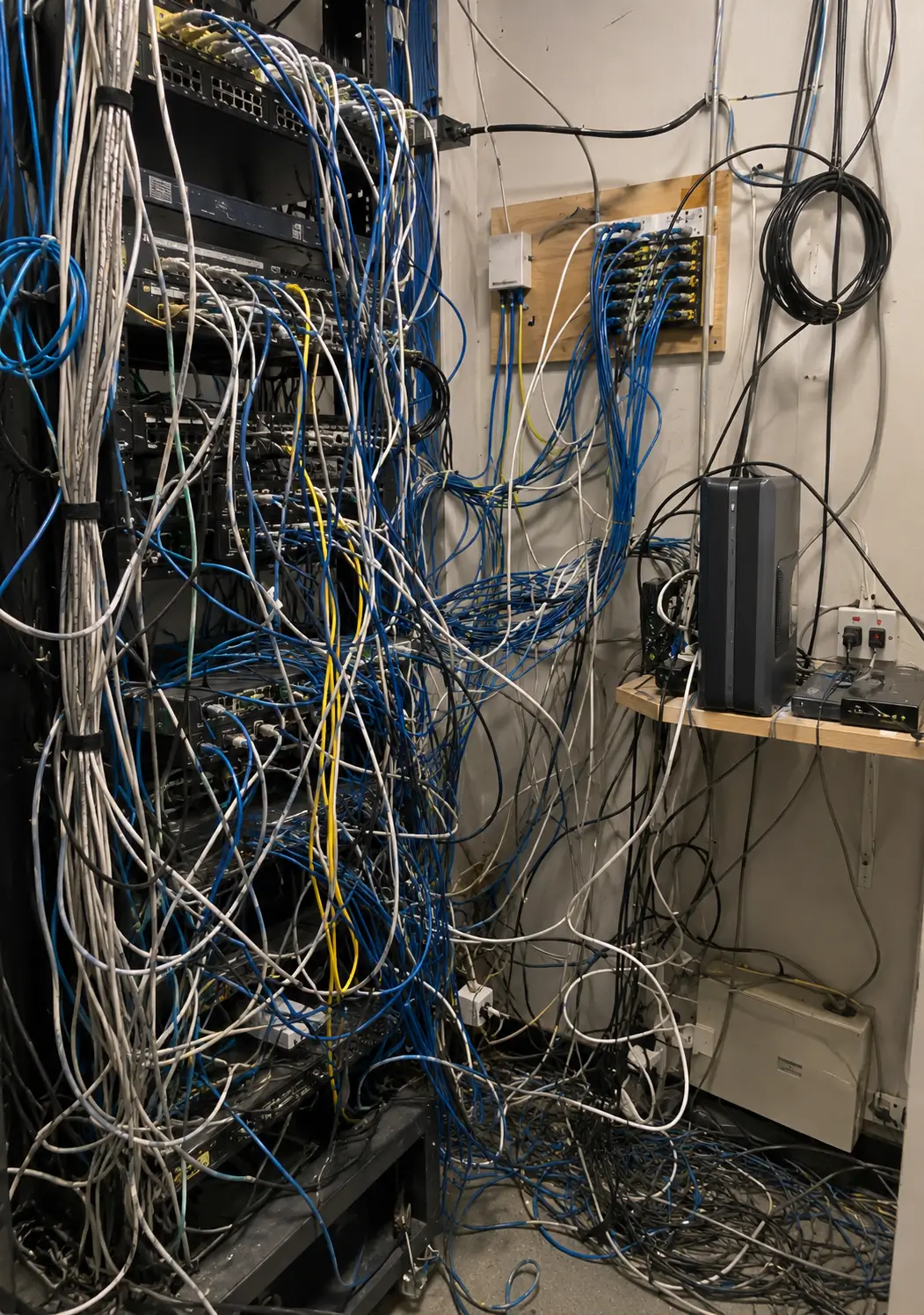
For clients with MDR and 24/7 SOC coverage, we agree during discovery and onboarding on which containment actions the SOC may take immediately and which require approval. Your response plan reflects your business operations, risk tolerance, and escalation preferences. In many cases, clients also preauthorize BCS to temporarily disconnect the main internet connection while we investigate a serious security threat. We agree in advance on when this broader containment action is appropriate, who is notified, and how connectivity will be restored. Disconnecting the internet can interrupt cloud applications, internet-based phones, and remote access, so the decision accounts for your business-critical services.
For threats rated high severity or critical, including suspected ransomware, BCS recommends preauthorizing prompt isolation of the affected endpoint while the SOC investigates. Restricting its network connections can help limit spread and give responders time to assess the threat. For most employee workstations, a brief interruption—for example, 30 minutes on one endpoint—is a smaller business impact than a major breach or widespread outage. This is an illustration of the tradeoff, not a guaranteed investigation or recovery time; business-critical systems require response rules tailored to their operational impact.
If investigation confirms a false positive, isolation can be reversed, often within minutes, depending on the security platform and device connectivity. Isolation may temporarily interrupt work, so we agree on response rules for business-critical systems in advance.
Explore our cybersecurity and managed support for critical business systems in Austin. For contract-driven requirements, see CMMC readiness support and SOC 2 readiness services.
Managed IT includes verifying that safeguards work. This 47-second BCS video explains four practical checks between people and technology, including account reviews, patch verification, alert review, and backup restore tests.
Support for employees, networks, Microsoft 365, backups, and security works best when responsibilities connect. BCS can help coordinate these tasks under a defined service plan, with local on-site assistance when needed.

Help employees resolve supported computer, account, application, and connectivity problems. Agree on how requests are reported, prioritized, and escalated.

Troubleshoot covered computers and servers, coordinate repairs, and plan replacements. Review the impact on business applications and recovery priorities.

Review backup coverage and failed jobs, and plan restore testing for agreed systems. A successful backup report should be supported by evidence that selected data can be restored.

Administer supported accounts, licenses, permissions, email, and collaboration services. Explore BCS Microsoft 365 support.

Scope protection for accounts, endpoints, email, and networks. MDR with 24/7 SOC monitoring can be included for covered systems; monitoring and response expectations are defined in your plan.

Connect remote troubleshooting with local hands-on support for Wi-Fi, switches, VLANs, firewalls, and physical cabling. Installation projects are scoped separately from recurring management.

Start with a review of your users, devices, business applications, vendors, and recurring problems. We agree on covered systems, support hours, responsibilities, and escalation before ongoing management begins.
BCS works with you to define how routine IT work is handled, which decisions require approval, and when you want updates. Some clients prefer us to manage day-to-day maintenance quietly, while others want weekly, monthly, or other scheduled meetings.
We tailor the review schedule and reporting detail to your preferences, while communicating significant risks, issues requiring decisions, and recommended improvements according to your agreed escalation process.
Review existing devices, networks, applications, security practices, and recurring technical issues.
Identify which systems and users are covered, which support services are included, and how issues should be reported.
Carry out the agreed monitoring, maintenance, updates, and support activities for covered systems.
Investigate technical problems, communicate relevant findings, and review changing business requirements as needed. The exact onboarding steps, monitoring coverage, reporting arrangements, and support commitments depend on the service agreement.
Choose affordable remote support or add proactive maintenance and managed security. Both plans have a five-user minimum and include one PC or laptop per user, along with BCS remote support software. Prices are per user, per month, before applicable taxes.
| Included service | Basic | Standard |
|---|---|---|
| Monthly price per user | $59.00 | $89.00 |
| Five-user minimum monthly total | $295.00 | $445.00 |
| Microsoft 365 license per user | Business Basic | Business Standard |
| Unlimited remote support during agreed business hours | Included | Included |
| BCS remote support software | Included | Included |
| Covered endpoint | One PC or laptop per user | One PC or laptop per user |
| AutoElevate privilege management | Included on supported covered endpoints | Included on supported covered endpoints |
| Security awareness training | Included | Included |
| Microsoft 365 backup | Included for agreed cloud-data scope | Included for agreed cloud-data scope |
| Vulnerability management and automated patching | Not included | Included for covered endpoints |
| Managed endpoint protection with MDR and 24/7 SOC monitoring | Not included | Included for covered endpoints |
| SIEM and SOAR | Not included | Included within agreed log sources and response scope |
Have compliance requirements? If your business is preparing for a SOC 2 Type 1 or Type 2 report, has HIPAA obligations, or needs CMMC Level 1 or Level 2 readiness, consult with BCS before selecting a plan. We will review your environment, applicable requirements, and responsibilities to customize the services, documentation, and pricing. Compliance readiness work is separately scoped; a managed IT subscription alone does not establish compliance or replace an independent audit or assessment. Discuss your requirements with BCS.
All prices are negotiable, and plans can be customized to your requirements. For example, a business using specialized accounting software, on-premise servers, a NAS, multiple locations, or additional computers may need a different support scope. We agree on application support, vendor coordination, infrastructure coverage, licensing, and pricing in a written proposal before work begins. Servers and other infrastructure are not automatically covered by the one-PC-or-laptop allowance.
Routine remote troubleshooting and support for covered users, their PC or laptop, Microsoft 365, and agreed supported applications during agreed business hours. Unlimited means no per-ticket labor charge for those covered support tasks. Specialized software support is defined during discovery; vendor subscriptions, development, custom integrations, and major projects are separately scoped.
24/7 security coverage: Standard includes MDR with 24/7 SOC monitoring and scoped security response. General employee help desk support follows agreed business hours. Covered security tools, log sources, retention, containment permissions, and escalation procedures are defined in the agreement.
Both plans include AutoElevate for the one covered PC or laptop per user, where supported. BCS configures least-privilege access, including removal of routine local administrator rights on supported Windows endpoints. Approved tasks can receive elevated permissions through configured rules or an authorized approval process.
Customers must use the elevation request process and work with BCS to identify approved applications and any necessary exceptions. Requests that need manual review follow agreed support hours and response expectations; 24/7 MDR does not mean 24/7 approval of software installation requests. Features vary by operating system, and compatibility is confirmed during onboarding.
Patching generally runs automatically overnight while covered PCs and laptops are powered on and connected to the internet. Critical updates and updates missed because an endpoint was powered off may run during business hours. Some updates require a restart. Customers must keep devices available and allow required restarts.
Microsoft 365 backup covers cloud data within the agreed workloads, retention, and restore scope. Customers are responsible for saving business files in Desktop and Documents folders configured to sync with company OneDrive, keeping sync active, checking for errors, and reporting failures to BCS.
Full PC backup is not included. Files that have not successfully synced to covered Microsoft 365 storage are outside the Microsoft 365 backup. Local-only files, Windows, installed applications, and device settings are not included. Request separate PC backup coverage if your business needs it.
| Area | BCS responsibility | Customer responsibility |
|---|---|---|
| Remote support | Support covered PCs, laptops, and agreed services during agreed business hours. | Report issues and provide authorized access. |
| Privilege management — both plans | Configure AutoElevate, remove routine local administrator access on supported Windows endpoints, and manage elevation rules and requests under the agreed policy. | Keep the agent installed, use the elevation request process, identify approved applications, and obtain authorization for exceptions. Do not restore local admin access without agreement. |
| Microsoft 365 accounts | Administer covered accounts and services. | Approve access and promptly report employee changes. |
| Security awareness training | Provide training for covered employees. | Ensure employees complete assigned training. |
| OneDrive Desktop and Documents sync | Assist with configuration and reported sync problems. | Use configured company folders, keep sync active, check for errors, and report failures. |
| Microsoft 365 backup | Manage backup jobs and restores within the agreed scope. | Identify required data and promptly report missing files. |
| Vulnerability management and patching — Standard | Identify findings, manage covered patches, and track remediation. | Keep endpoints powered on and online, allow restarts, and approve required changes or separately scoped work. |
| Endpoint security and MDR — Standard | Manage covered endpoint protection, 24/7 SOC monitoring, and scoped security response. | Keep agents installed, follow response instructions, and report suspected incidents. |
| Mobile devices | Assist as a courtesy, outside guaranteed plan coverage. | Maintain mobile devices; endpoint protection, patching, and MDR for mobile devices are not included. |
| Full PC backup | Not included in either plan. | Request separate coverage for local-only data or full-system recovery needs. |
Additional endpoints, servers, NAS and network infrastructure support, on-site visits, hardware, installations, migrations, major projects, after-hours employee support, incident recovery, and compliance consulting are separately scoped and priced unless expressly included in your customized agreement. Mobile device assistance is a courtesy. Additional software and vendor subscriptions are separately priced unless listed as included.
Microsoft 365 licensing: Basic includes Microsoft 365 Business Basic; Standard includes Microsoft 365 Business Standard. Business Basic provides web and mobile Office apps; Business Standard also includes the licensed desktop Office apps. Our Standard security stack is supplied under the BCS plan; it is not a claim that Microsoft 365 Business Standard itself includes MDR, SIEM, or SOAR.
Request a customized plan or ask about your 30-day trial · Call 512-257-1433
Experience our remote IT support and help desk services free for the first 30 days. Depending on your selected service plan, the trial also includes the following services and licenses at no charge during that period:
Excluded from the free trial: Microsoft 365 licenses and physical on-site work, including cabling, camera or server installation, deployment services, and other on-site projects.
BCS offers free onboarding services in many cases. During discovery, we confirm whether your onboarding qualifies, what is included, and any costs before work begins. We also confirm your trial scope, included services and licenses, and the pricing and terms that apply after the first 30 days. Ask about our no-long-term-contract options.
Call 512-257-1433 to discuss your needs. Explore BCS work examples and our certifications.
Find answers about support, pricing, our 30-day trial, security monitoring, Microsoft 365, backups, risk assessments, SOC 2, and CMMC readiness for Austin and Houston businesses.
Yes. Co-managed IT can add specialist assistance, project support, vacation coverage, local on-site work, or additional checks on important systems. We agree on ownership and escalation with your internal team.
Coverage can include help desk support, devices, servers, Microsoft 365, networks, maintenance, backups, and cybersecurity. Your agreement identifies covered systems, support hours, response expectations, licensing, and any separately priced work.
Yes. BCS provides remote support and local on-site services in Austin and nearby communities, including Cedar Park, Round Rock, Leander, Pflugerville, and Georgetown. Scheduling and response commitments depend on your agreement.
MDR with 24/7 SOC monitoring can be included for covered systems when scoped in your plan. Monitoring coverage and incident escalation are defined separately from general help desk hours and on-site availability.
Costs depend on users, devices, locations, applications, security requirements, support hours, and the level of management needed. BCS reviews your environment and provides a proposal with inclusions and separately priced items.
Yes. We can coordinate an authorized handoff of system documentation, administrative access, licensing responsibilities, and open support issues. The transition plan depends on your environment and existing agreements.
BCS can scope gap assessments, technical implementation, documentation, and remediation planning alongside managed IT. Readiness work is defined separately; a managed services agreement alone does not establish compliance or replace an independent assessment.
Tell us which systems your team relies on, what is causing problems, and whether you already have IT support. BCS will help you identify the next step and define the right scope.
Call Austin: 512-257-1433 or request a free initial cybersecurity assessment.